AI LinkedIn Content Engine: Posts & Carousels with Owner Approval
Key Measurable Results
Spent by the owner approving posts instead of hours writing & designing
Human-approved before anything goes live on LinkedIn
Written post and designed carousel slides generated together on schedule
1The Problem
Publishing strong LinkedIn content every day was taking the founder hours—finding a real source worth writing about, drafting the post, and designing a matching carousel. On busy days nothing went out, yet the owner still wanted 100% final approval before anything was published under their name.
2What We Built
Built a 3-stage LinkedIn content engine in n8n that pulls the next topic from Google Sheets, scrapes the real source article via Apify, writes the post and designs carousel slides in Google Drive, and pauses for one-click owner approval before publishing via the LinkedIn API.
The Tools & How We Used Them
n8n & Google Sheets Content Queue
Runs on a schedule, picks the next queued topic from Google Sheets, and logs the final live LinkedIn URL and status back to the sheet after publishing.
Apify Source Scraper
Scrapes the underlying article or source post for each topic so every draft is grounded in real facts rather than generic AI filler.
OpenRouter & Google Drive Carousels
Writes the post copy and slide-by-slide carousel text via OpenRouter, then generates and saves the visual carousel slides into Google Drive.
Owner Approval Gate & LinkedIn API
Holds the finished post and carousel until the owner clicks Approve—then publishes directly to LinkedIn via the official API.
How It Works — Step by Step
Structured a Google Sheets topic queue that tracks upcoming ideas, approval status, and published links
Integrated Apify to scrape source articles so every post is based on real reference material
Configured OpenRouter LLM prompts to draft both the LinkedIn post and structured carousel slide copy
Automated carousel slide creation and Google Drive storage for easy review
Added a strict human-in-the-loop approval step before publishing via the LinkedIn API
✓The Result
Spent by the owner approving posts instead of hours writing & designing
Human-approved before anything goes live on LinkedIn
Written post and designed carousel slides generated together on schedule
See this workflow in action
Watch the 22-second walkthrough showing how this system runs from start to finish.
Skills & Deliverables
Project Details
Our Role
AI Automation Developer
Client
B2B Founder & Executive Brand
Industry
Marketing Analytics
Delivery Timeline
3 weeks
Related Services
Need a similar system built for your team?
Book a free discovery call and we'll map out how to build this for your exact data sources and tools.
More Marketing Analytics Case Studies
View All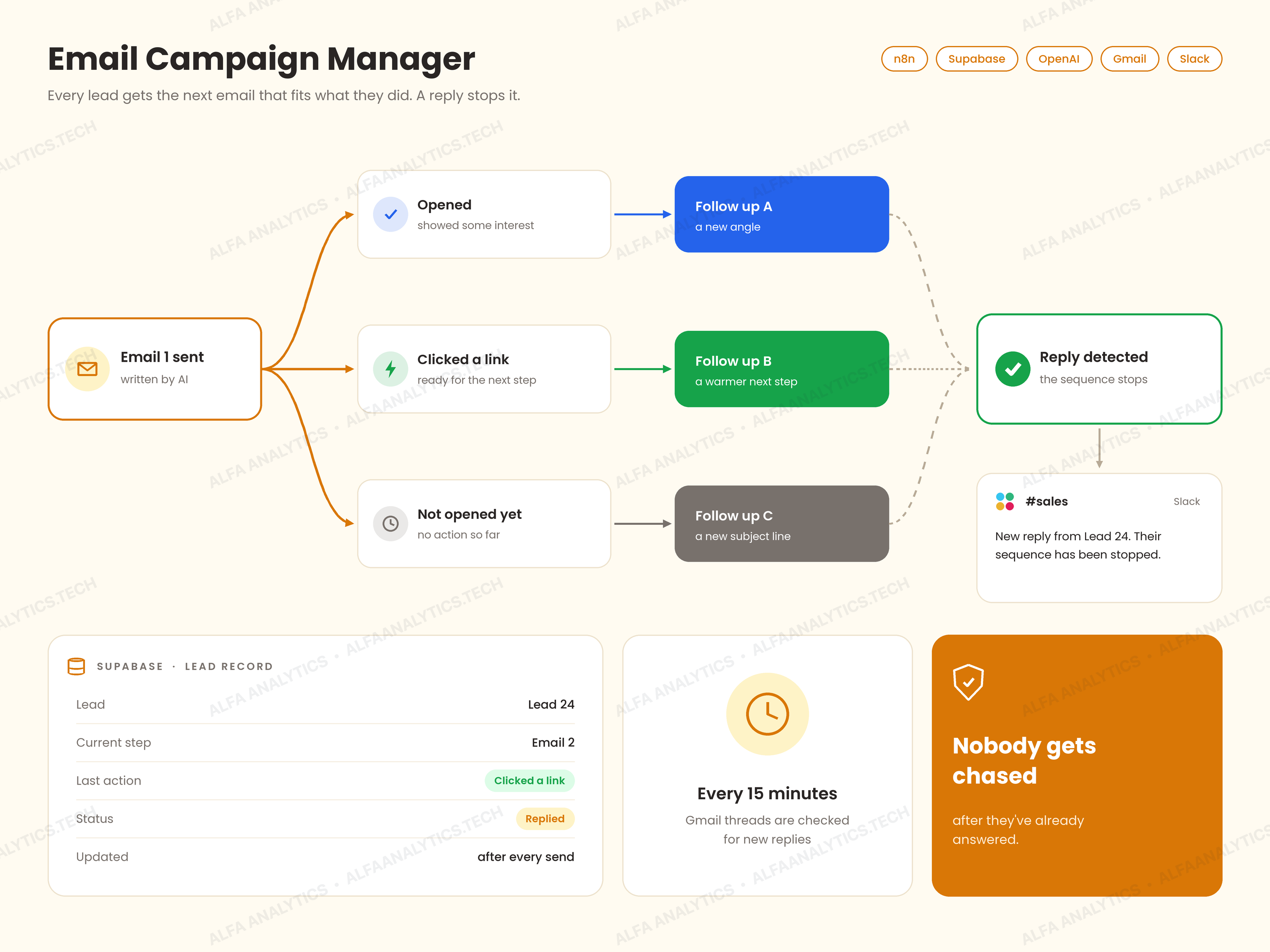 Video
Smart Email Campaign Manager: Follow-ups Based on Opens & Clicks
The client was sending the exact same follow-up email to every lead regardless of what they did with the previous message—someone who clicked a link got the same follow-up as someone who never opened it. Worse, replies were easy to miss, so leads sometimes kept getting automated follow-ups after they had already answered.
View Case Study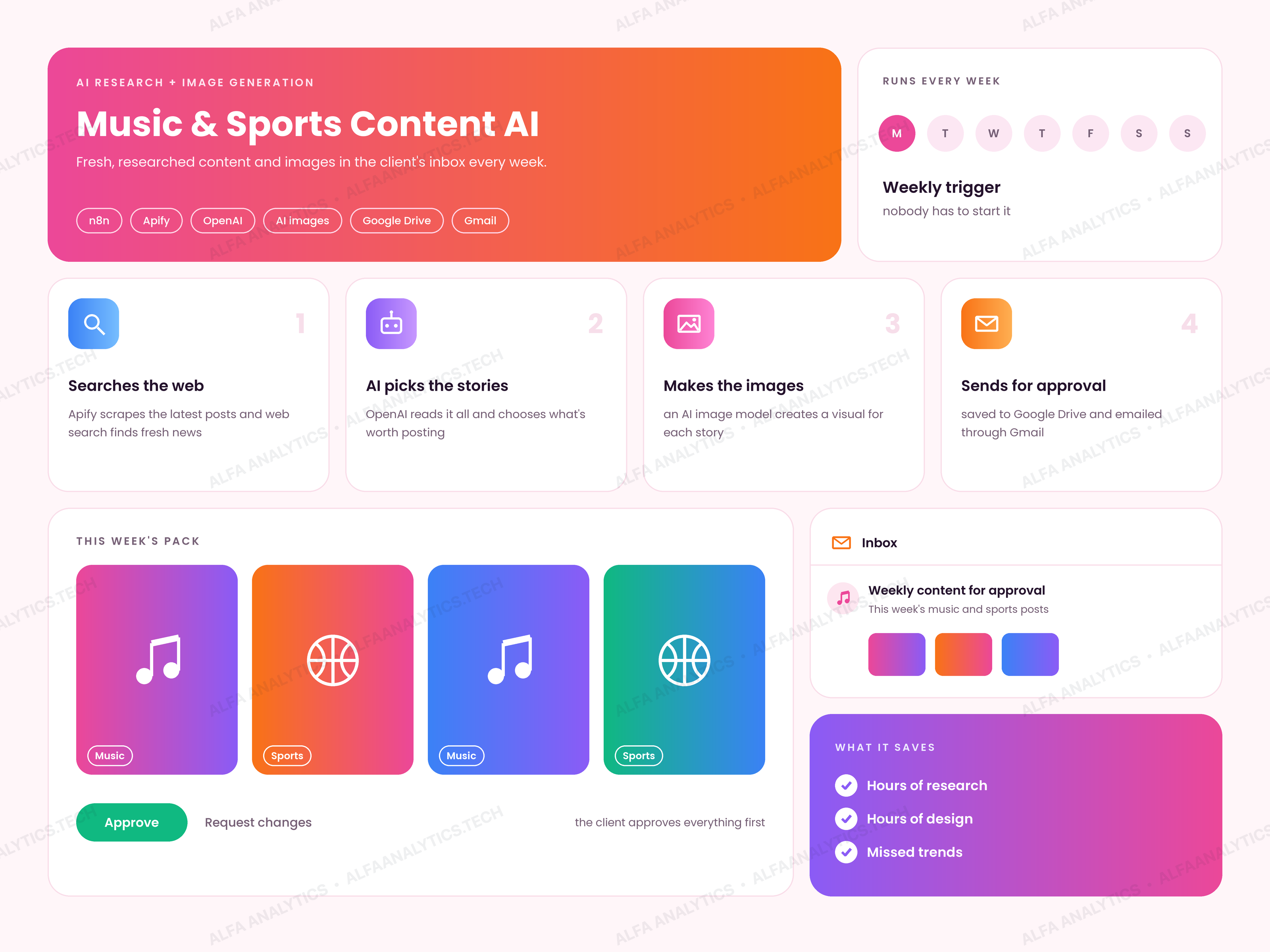 Video
AI Music & Sports Content Generator with Email Approval
The client publishes weekly music and sports content, but keeping up with breaking news, picking trending stories, writing posts, and creating visuals took hours every week—and by the time assets were finished manually, some stories were already stale.
View Case Study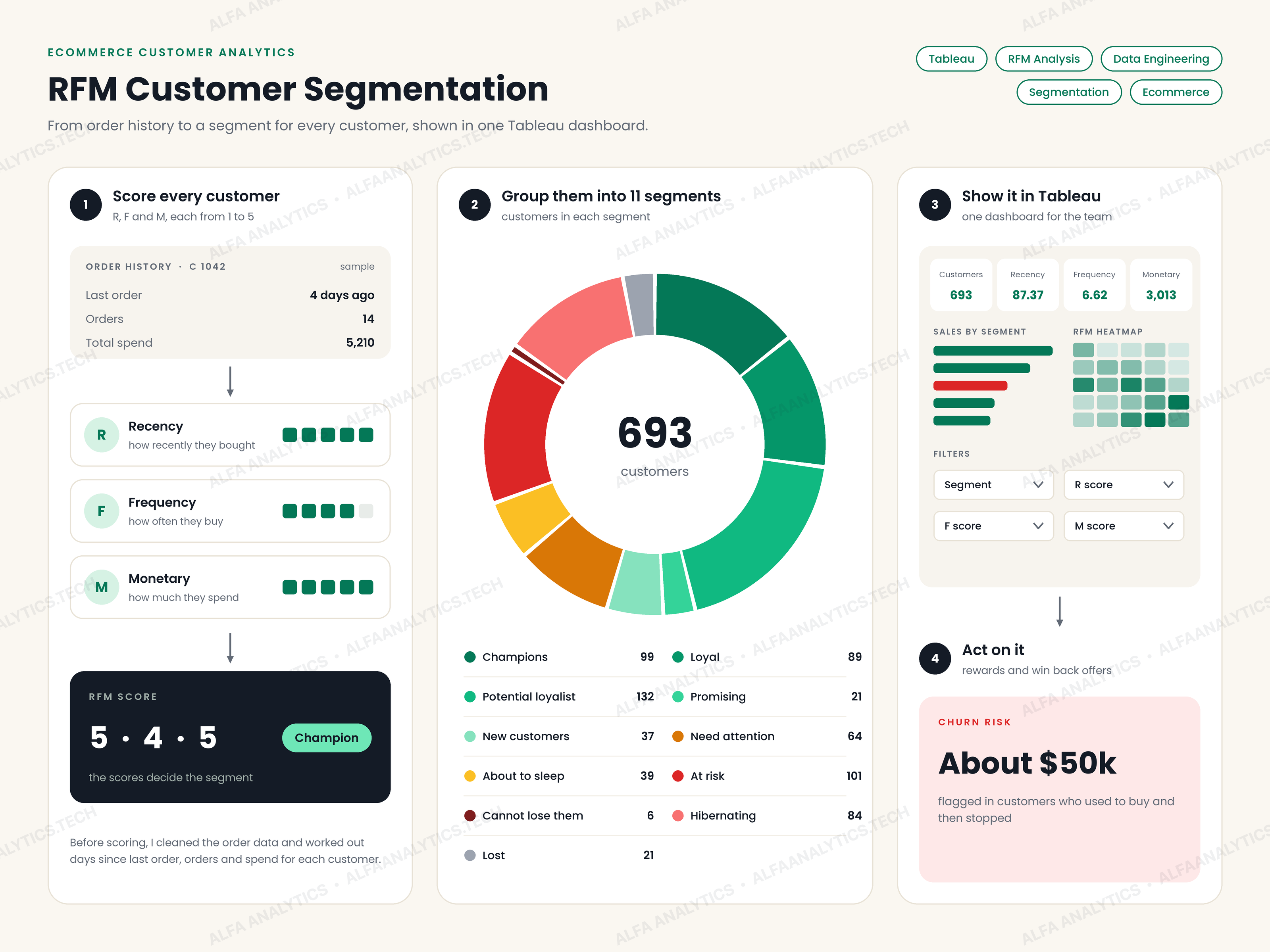 Video
Ecommerce RFM Dashboard: Identified $50k in Churn Risks
The business had 693 customers but no clear way to tell them apart. Everyone got the same emails and offers—whether they bought every week or hadn't ordered in almost a year. There was no quick way to see who the best customers were or who had stopped buying.
View Case Study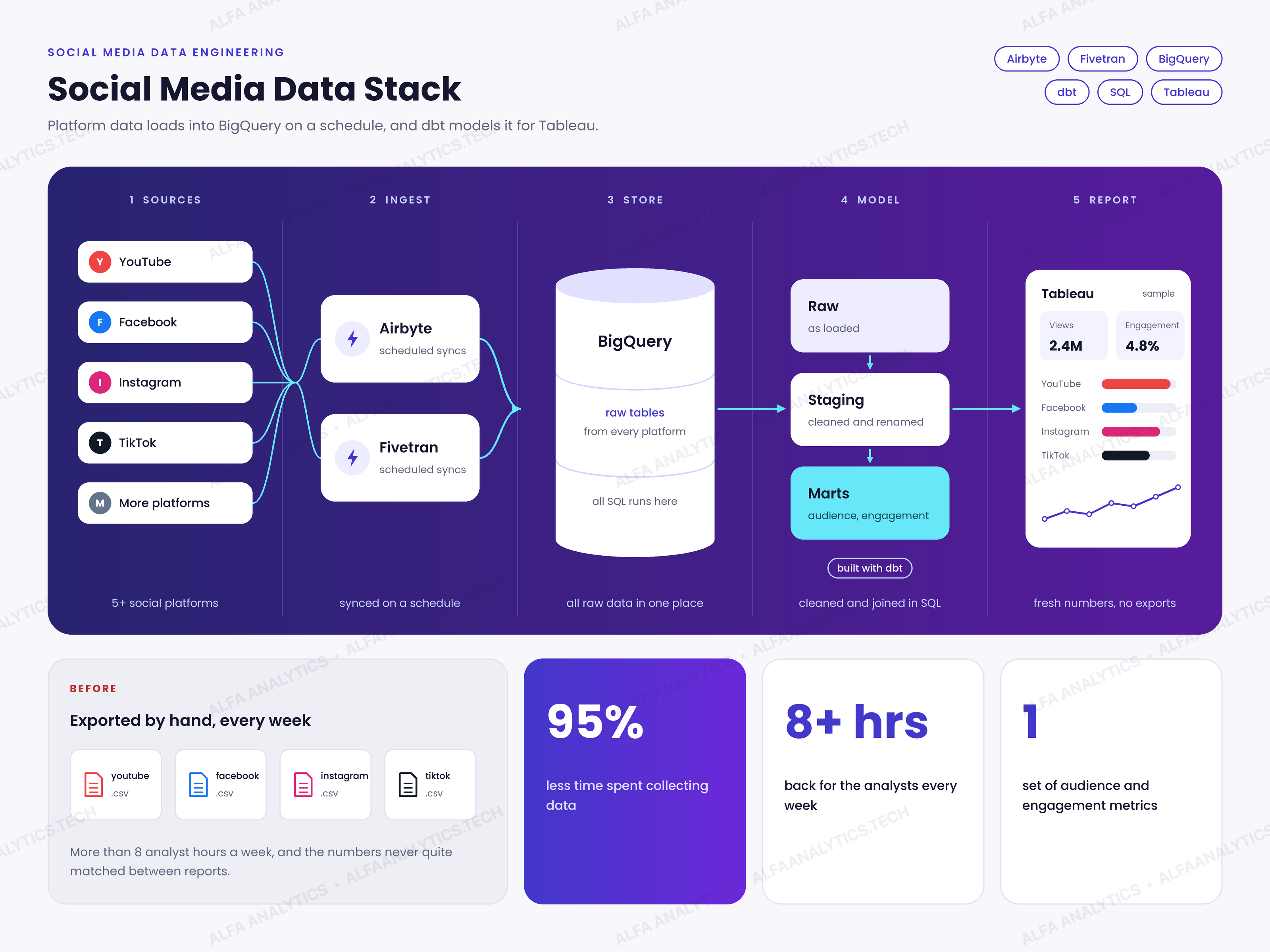 Video
Social Media Data Stack: Airbyte, Fivetran, BigQuery & dbt
The client's analysts were pulling social media data by hand every week—logging into YouTube, Facebook, Instagram, TikTok, and other platforms one by one, exporting CSVs, and pasting numbers into reports. That took 8+ hours every week, and because each platform names and counts metrics differently, reports never matched.
View Case Study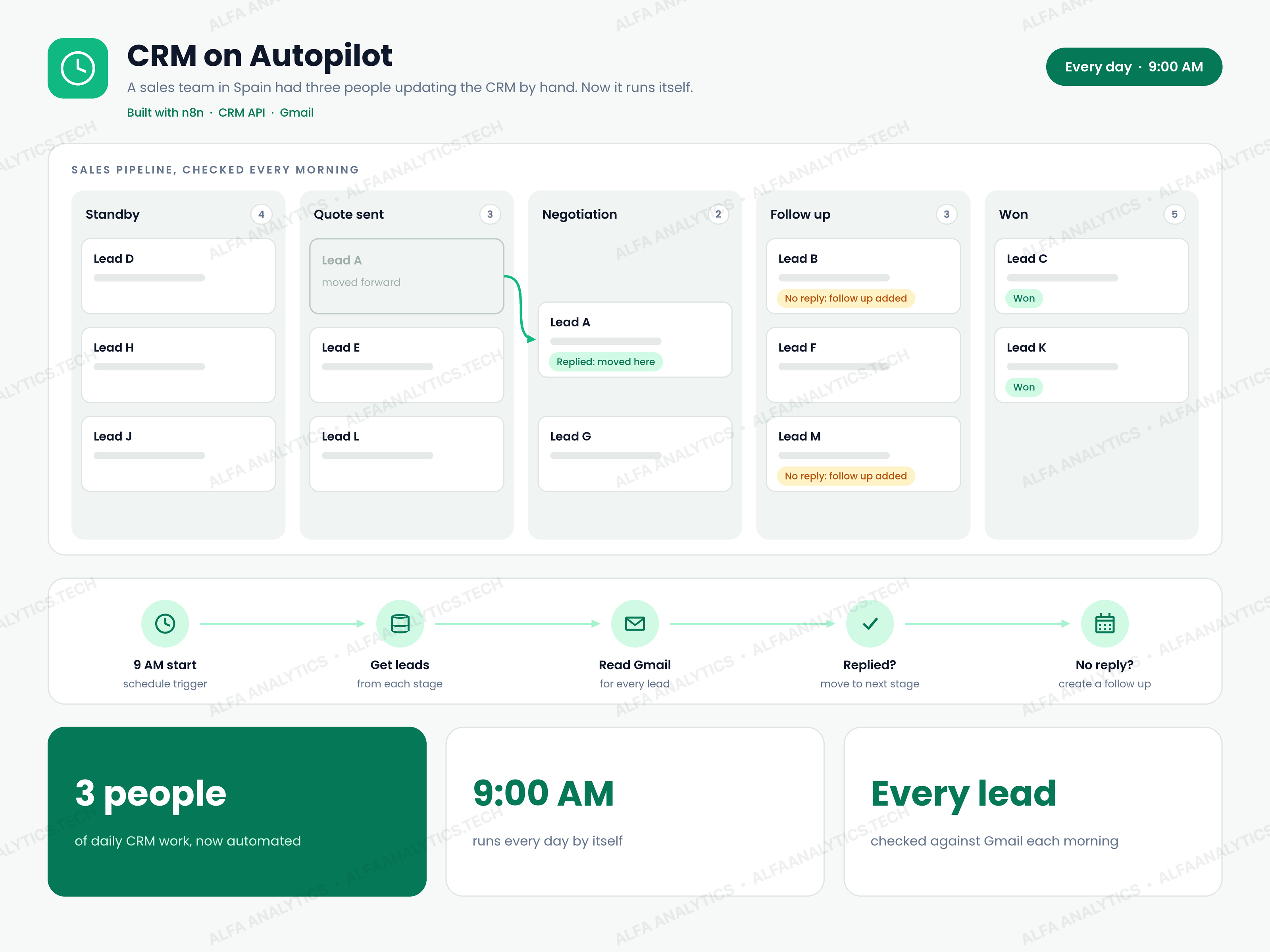 Video
CRM on Autopilot: Daily Lead Pipeline Automation
A sales team in Spain was running its entire pipeline by hand. Three people spent their days inside the CRM: checking Gmail to see who had replied, moving leads from one stage to the next, setting follow-up reminders, and fixing contact records. It was slow, error-prone, and the only way to handle more leads was to hire more people.
View Case Study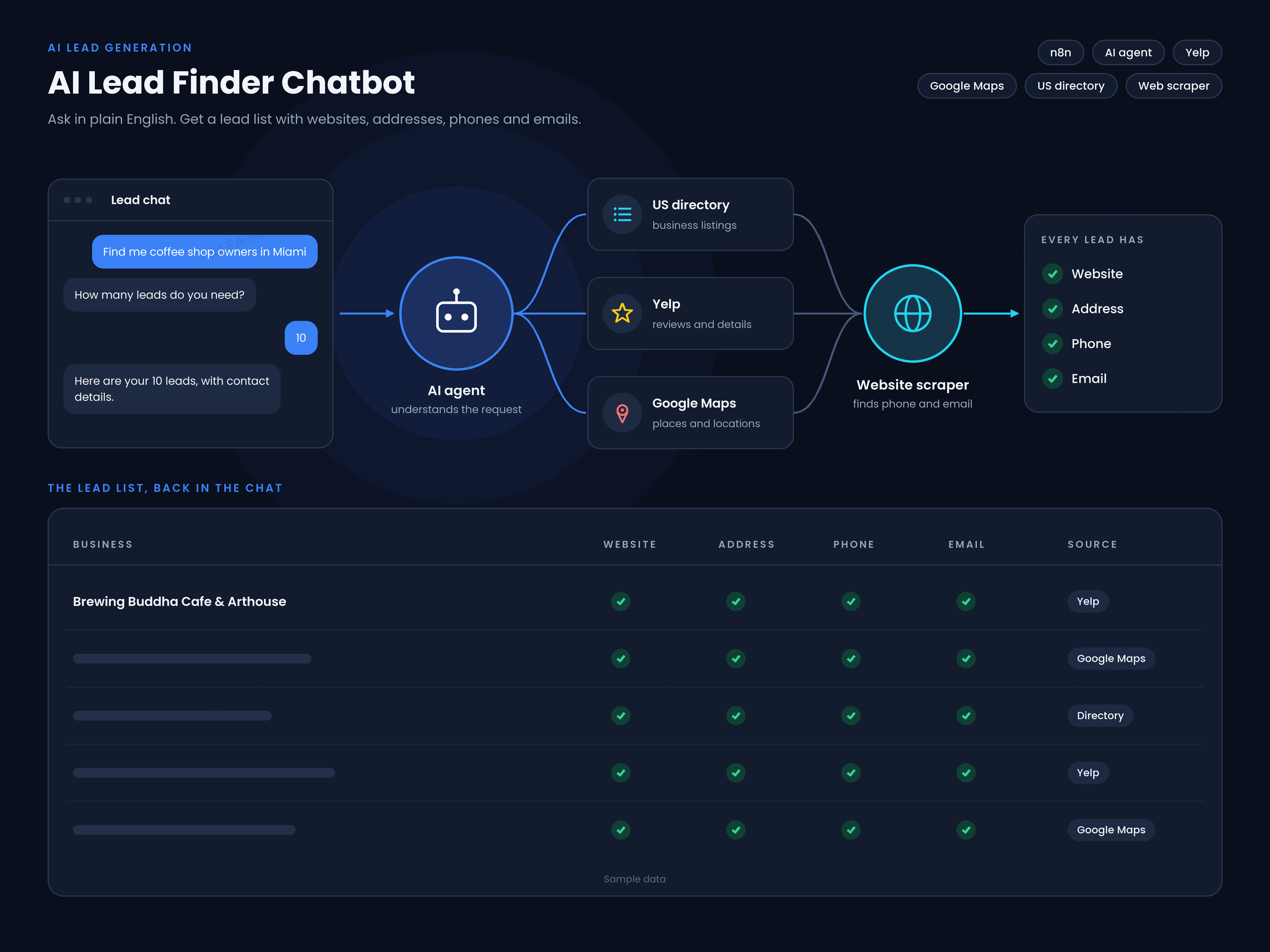 Video
AI Lead Finder Chatbot (Yelp, Google Maps & US Directories)
Building local business lead lists by hand took hours. To build a single prospect list—like coffee shop owners in Miami—someone had to search Yelp, then Google Maps, then US business directories, and manually open every business's website to hunt for an email address or phone number.
View Case Study