AI Invoice PDF to Excel Comparison Tool
Key Measurable Results
Works with new supplier invoice PDFs without custom template setup
To consolidate batch invoices into one side-by-side Excel file
Manual invoice spreadsheet typing eliminated
1The Problem
The client received invoices from many different suppliers, and every supplier used a different PDF layout. To compare product unit prices or catch billing errors, someone had to type every line item into a spreadsheet by hand—which was slow and made price changes easy to miss.
2What We Built
Built a batch PDF-to-Excel pipeline in n8n powered by Claude Sonnet 4. Users upload any number of supplier invoice PDFs at once; the workflow extracts the text, identifies the supplier, pulls every product, quantity, and unit price regardless of layout, and exports one clean Excel workbook grouped for side-by-side price comparison.
The Tools & How We Used Them
n8n Batch Upload & Splitter
Accepts any number of invoice PDFs in a single upload, splits them into individual files, and processes each invoice through the extraction pipeline.
PDF Text & Supplier Identification
Extracts raw text from each PDF and identifies which supplier sent it so line items can be grouped accurately downstream.
Claude Sonnet 4
Reads every invoice line like a human analyst—extracting product names, quantities, and unit prices across any supplier layout without custom templates or setup.
Automated Excel Workbook Export
Groups extracted line items by supplier and formats them into one structured .xlsx file where price differences across suppliers stand out immediately.
How It Works — Step by Step
Built an n8n batch ingestion trigger capable of handling multi-PDF invoice uploads
Implemented PDF text extraction and automatic supplier identification for each document
Configured Claude Sonnet 4 to extract structured product, quantity, and unit-price rows from any invoice layout
Aggregated and formatted all extracted line items into a single supplier-grouped Excel comparison sheet
Eliminated manual data entry and enabled instant side-by-side unit price auditing across vendors
✓The Result
Works with new supplier invoice PDFs without custom template setup
To consolidate batch invoices into one side-by-side Excel file
Manual invoice spreadsheet typing eliminated
See this workflow in action
Watch the 22-second walkthrough showing how this system runs from start to finish.
Skills & Deliverables
Project Details
Our Role
AI Automation Developer
Client
Multi-Supplier Procurement Team
Industry
AI & Automation
Delivery Timeline
2 weeks
Related Services
Need a similar system built for your team?
Book a free discovery call and we'll map out how to build this for your exact data sources and tools.
More AI & Automation Case Studies
View All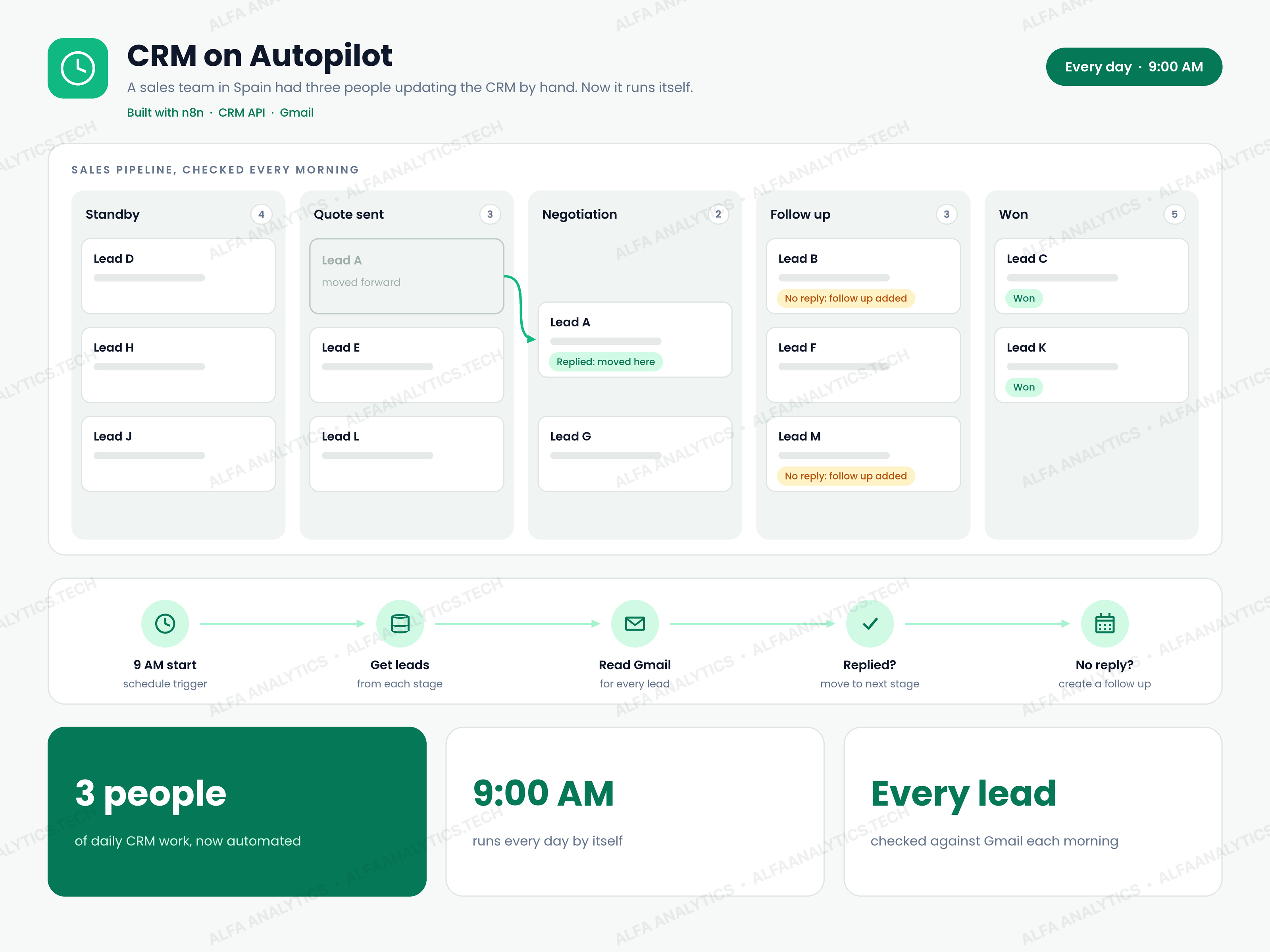 Video
CRM on Autopilot: Daily Lead Pipeline Automation
A sales team in Spain was running its entire pipeline by hand. Three people spent their days inside the CRM: checking Gmail to see who had replied, moving leads from one stage to the next, setting follow-up reminders, and fixing contact records. It was slow, error-prone, and the only way to handle more leads was to hire more people.
View Case Study Video
AI Lead Finder Chatbot (Yelp, Google Maps & US Directories)
Building local business lead lists by hand took hours. To build a single prospect list—like coffee shop owners in Miami—someone had to search Yelp, then Google Maps, then US business directories, and manually open every business's website to hunt for an email address or phone number.
View Case Study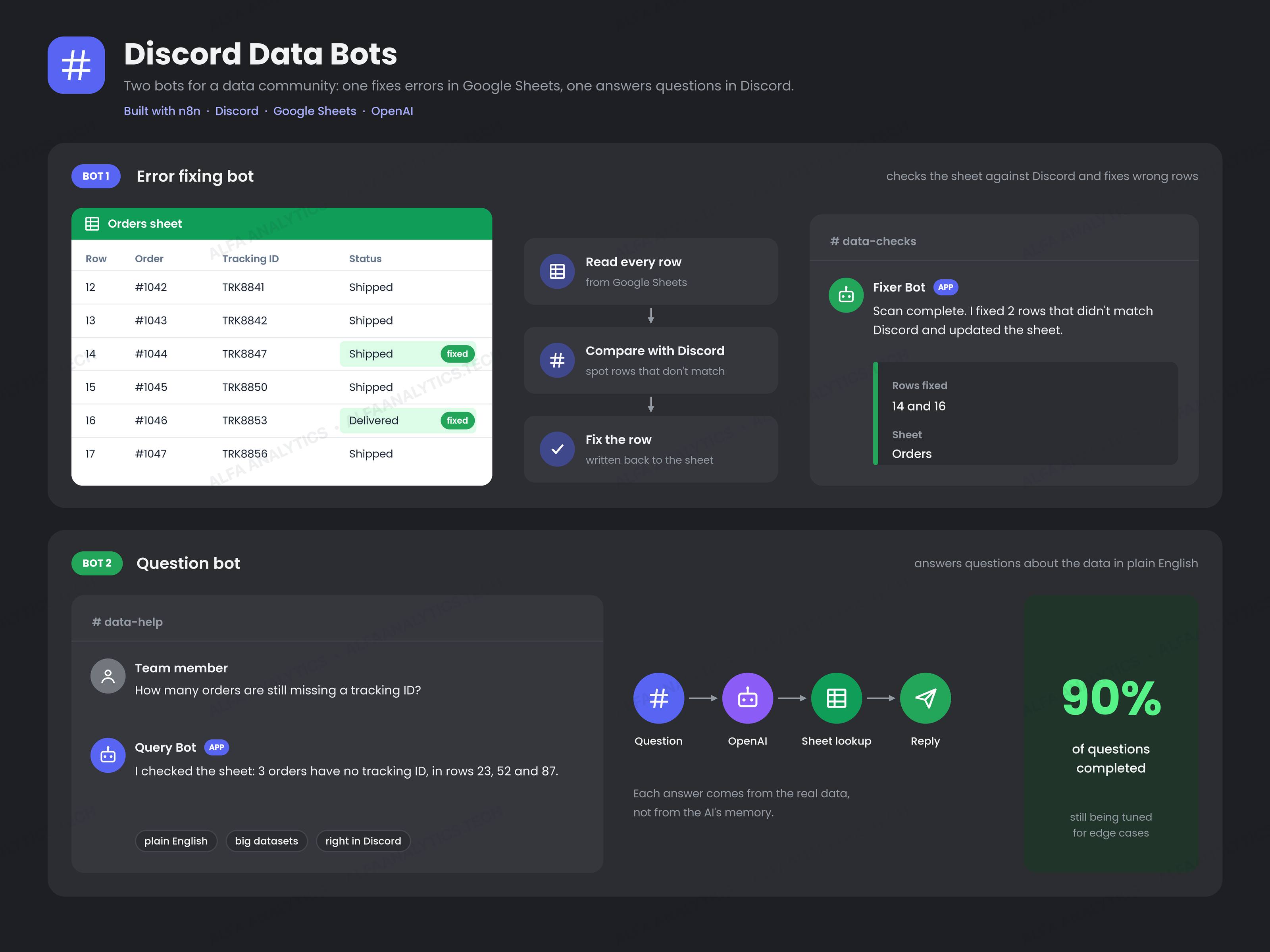 Video
Discord Data Bots: Fix Google Sheets Errors & Answer Data Questions
The team managed large operational datasets in Google Sheets while coordinating daily work in Discord. Finding mismatched rows in the sheets required tedious manual reviews, and whenever team members had a question about the data, they had to wait for a spreadsheet expert to look it up.
View Case Study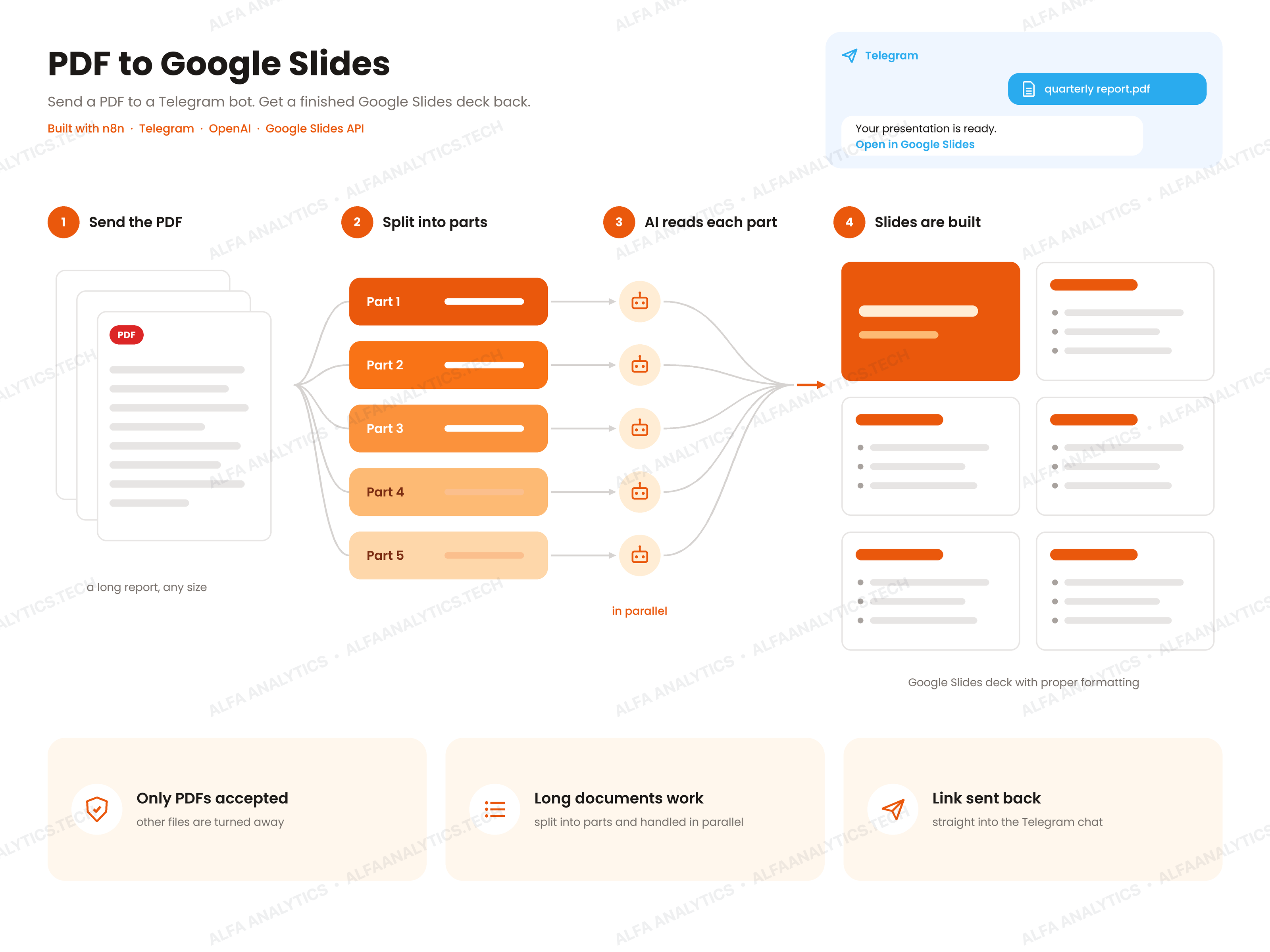 Video
AI PDF to Google Slides Converter (Telegram Bot)
The client frequently had to turn long PDF reports into presentation decks under tight deadlines. Reading the entire document, pulling out key takeaways, and formatting every slide by hand took hours—and the longer the PDF report, the longer the bottleneck.
View Case Study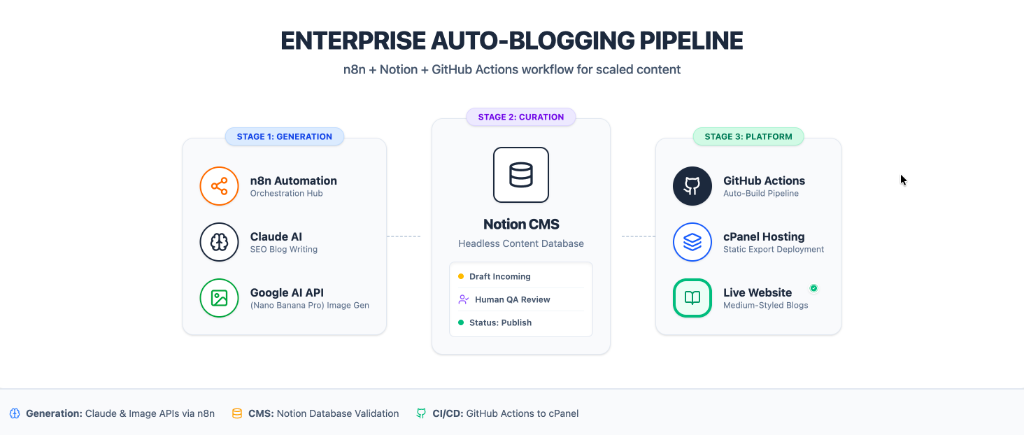
AI Auto-Blogging Pipeline with Notion & GitHub Actions
Publishing 5+ SEO blog posts a week required a full-time copywriter at $200+ per article, plus hours of manual CMS formatting and image creation.
View Case Study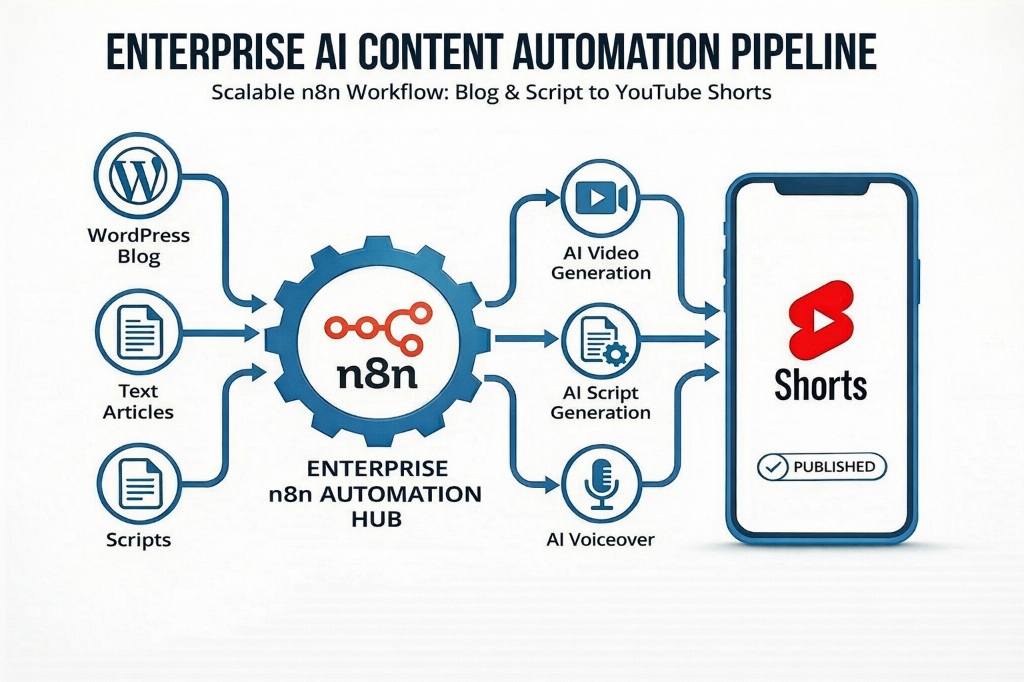
WordPress to YouTube Shorts Video Automation
The firm published 4–6 written articles weekly but had zero video presence because producing YouTube Shorts manually required a scriptwriter, videographer, and editor—costing $150/video and 3–5 days per asset.
View Case Study